
FAQs


FAQPlease find below answers to frequently asked questions relating to typical application cases from Viscovery users (requires JavaScript).

General Questions

1.
On which operating systems does Viscovery software run?

Viscovery runs under Windows 2000, Windows XP, Windows Server 2003, Windows Vista and Windows Server 2008.

2.
Can I get a demo version of Viscovery?

Yes, you can download a trial version of Viscovery SOMine from www.somine.info.

3.
How can I get technical support?

For technical support, send an email to support@viscovery.net.

4.
Is there a boxed version of Viscovery?

Viscovery is only available by download.

5.
Are there different language versions of the manual?

The manuals is available in English and in Japanese, as is Viscovery Software.

6.
How often do you release a new version of Viscovery?

There are 3 to 4 patch releases per year that mostly include bug fixes. One minor feature release is planned every year. Major feature releases are planned every 2 years.

7.
Where can I find sample data?

The most popular site is probably the UCI KDD Archive from University of California with the UCI Machine Learning Repository cited therein.

There are of course many other sites too that offer a variety of data sets:

8.
Is there a tutorial or small worked example for Viscovery SOMine or Viscovery Profiler?

View the application demos and the software demo of Viscovery SOMine on the Viscovery website. Further examples with tips and tricks are part of our training courses.

9.
How do I get started with Viscovery?

We recommend that you initially get familiar with SOMs and how to read and interpret them.

If you do not have any Viscovery tools yet, download the 30-day free trial version of Viscovery SOMine, which is fully functional except that SOM models cannot be saved.

Watch the software demo of Viscovery SOMine which shows all steps in the process of map creation.

Take a simple and small data set that you are familiar with and follow the workflows step by step.

Contact support@viscovery.net for open questions.

For more involved applications, Viscovery also offers consulting support and training courses.

10.
Can I use Viscovery even if I don’t know anything about SOMs?

Yes, you can. All you need to know is how to read a SOM.

In Viscovery, the technology is shielded from the user, who is guided by an easy-to-use workflow-oriented interface. Proven default settings have been established so that novice users can get useful results. Of course, the more the user understands the process and the technology, the more he or she can control the process.

Even though you do not have to be a SOM expert, a basic knowledge of data mining is necessary to be able to work with SOMs in a useful manner. In particular, the First Paradigm “Garbage in – garbage out” is true for data mining with SOMs just as with any other data mining method. Equally important, the Second Paradigm “Know your data” holds true for SOMs as well as for any other data mining method.

11.
Do I need to know much about statistics to use Viscovery?

You can use Viscovery even if you do not understand much about statistics. The unique visualization of the resulting maps can easily be understood by non-statisticians. For statistically skilled users, Viscovery provides a variety of statistical tools to evaluate data in addition to the SOM.

Keep in mind that even though you do not know much about statistics, you do have to know a lot about your data before you can produce meaningful results with SOMs.

12.
Which preprocessing functionality does Viscovery provide?

The numerous preprocessing functions provided by Viscovery include the following:

  • Transformations of variables
  • Replacements of values
  • Treatment of nominal attributesd
  • Definition of new attributes depending on existing ones
  • Handling of missing values
  • Outlier treatment
  • Removal of data records
  • Sampling of data
13.
Does Viscovery provide statistical features?

The statistical analysis functions provided by Viscovery include the following:

  • Descriptive statistics
  • Correlation analysis
  • Histograms
  • Frequency tables
  • Box plots
  • Scatter plots
  • Principal components analysis
  • Regression analyses

back to top

Preprocessing issues

14.
What is the format of input data Viscovery can handle?

Viscovery reads the following input data formats:

  • Tab-separated text files
  • Excel files (*.xls)
  • SPSS files (*.sav)
  • XML files(*.xml) in a Viscovery specific format
  • Database tables where ODBC drivers are available

The data should be organized in rows and columns, such that each column represents an attribute and each row represents a data record. The first row should contain the names of the attributes.

15.
How many attributes and how many data records can Viscovery handle?

Viscovery can handle any amount of data your computer is able to process. Applications can include many thousands of variables and millions of records. However, if you are using Viscovery SOMine Basic or Expert Edition, up to 100,000 data records and 100 attributes can be processed. All other editions and versions of Viscovery are unrestricted regarding the size of the data set.

16.
Which data types does Viscovery recognize?

There are 2 data types in Viscovery: “values” used for numerical attributes and “text” used for nominal attributes or labels.

17.
Can Viscovery handle text attributes?

Yes. Text attributes can either be declared as nominal attributes, or they remain unprocessed and are only copied from the input to the output (e.g., the key attribute and labels are always text attributes).

18.
Does the key attribute need to be a text attribute?

No, the key may consist of numbers but may also be defined as a numerical attribute. However, it is best to define it as a text attribute no matter whether it consists of numbers or characters to avoid problems if the numbers representing the key have more digits than significant digits are defined.

19.
How can I use nominal attributes in Viscovery?

Viscovery dedicates a workflow step for this purpose: You define which values of the attribute Viscovery should recognize. Viscovery represents nominals by generating numerical columns for nominal attributes, where the column value is set either to 0 or 1 depending on the nominal value.

20.
How can I interpret the values of nominal attributes?

In the attribute pictures of the map window as well as in the Group Profile window, the values of the binary attributes that were derived from the nominals, are between 0 and 1. Of course, there could not be someone who is only partly “Gender: male” or “Profession: Public Officer”. The values represent the mean at this node and can be interpreted as proportion (such as a percentage). If, for example, “Profession: Public Officer” = 0.345, then about 1/3 of the people in the corresponding group (or node) have the Profession: Public Officer (i.e., exactly 34.5%).

21.
Will text attributes be used for segmentations or only value attributes?

All nominal attributes that have been defined in the Viscovery data mart (i.e., split up in their values) can be used for map training and, therefore, also for segmentations.

22.
Why use transformations?

You would use transformations to treat outliers such that the values will become more evenly distributed.

23.
When would I use sigmoid transformation versus logarithmic?

If an attribute exhibits a positively skewed distribution, you may want to try logarithmic transformation. However, in most cases, the sigmoid transformation is appropriate.

24.
How can I treat outliers in Viscovery?

Best would be to perform transformations to the attributes that exhibit outliers, but you could also replace all outlying values with upper or lower boundary values.

Another option is to remove the data records with outliers if you want to exclude these values from the scope of your analysis.

25.
How does Viscovery handle missing values?

Data records with missing values or invalid entries are recognized by Viscovery and treated appropriately in the analysis. For numerical attributes, all entries that are not numbers will be treated as missing. For nominal text attributes, all values that you did not define will be treated as missing.

The basic operation with a SOM is to look up the best-matching node. If an input data record is not complete (has missing values), then the look-up is limited to the available values. That is, the SOM is treated as if the nodes were shorter vectors (in math speak: the SOM is projected into the data space that consists of the available values) and then the lookup is conducted in this reduced map. This happens for each individual record.

It is possible to substitute missing values with the lookup values of the matching nodes. When a data mart is exported, the missing attribute values of the data mart records can even be replaced by the node values of the corresponding nodes in a SOM.

26.
Can I use an attribute even if 90% of the values are missing?

If the 10% existing values are more or less evenly distributed in the data set, it should be ok (e.g., if you have demographic data just for a part of your customers).

If the missing values in one attribute systematically depend on the values of other attributes that are used for map training you need to keep this in mind when you interpret the map. You should definitely not give too much priority to such an attribute, especially if you prioritize only few attributes.

27.
Why use scaling?

The scaling is necessary to overcome the different orders of magnitude of the different attributes. Initially, when attributes have been scaled to, for example, variance=1, vales can be compared across different attributes to calculate a (meaningful) Euclidean distance between two points.

28.
How do the two scaling methods range and variance work?

In both cases, the mean value is subtracted first from each value so that the new mean of the scaled values is 0.

  • For variance scaling, the result will be divided by the standard deviation of the attribute. Thus, the new variance of the scaled values will always be 1.
  • For range scaling, the result will be multiplied by 8/(max-min), where "max" and "min" are the maximum and mimimum values of the variable; consequently, the new range (i.e., difference between maximum and minimum) is always 8.
29.
Why are there two different kinds of scaling?

Choosing range scaling over variance scaling is a means to cope with outliers.

The trouble with outliers is that they influence the layout of the map during the training so that the resulting map over-represents the outliers. By using the range scaling this effect can be mitigated because the maximum value will not exceed 8.

30.
How does Viscovery determine which scaling is to be used?

If the range of the attribute (i.e., the difference between maximum and minimum value) is smaller than 8 times the standard deviation, variance scaling is used, otherwise range scaling is applied. This heuristic is based on the fact that in a normal distribution, 99.73% of all data are located within the interval of [–3*stddev, +3*stddev]. Thus, values outside of the interval [–4*stddev, +4*stddev] are supposed to be extreme outliers and thus range scaling is used.

back to top

Basics for creating a map

31.
How does the map creation work?

The SOM algorithm starts out in the space spanned by the two largest principal component eigenvectors. The nodes are evenly distributed over this plane and initialized with the corresponding values. The data records (also called input vectors) will be matched to the node with the shortest Euclidean distance (i.e., the best matching node). The weight vector of this node as well as of the neighboring nodes will then be pulled towards the input vector. The closer the node to the best matching node, the “stronger” it will be pulled. Finally when all data records have been presented several times, the nodes represent the data distribution.

In each learning cycle of Viscovery, iterations due to all data records are cumulated and applied at once (“Batch-SOM”). Moreover the number of nodes grows from cycle to cycle from an initially small size to the final size (i.e. number of nodes).

32.
How long does the creation of a SOM take?

The training time is roughly proportional to the number of attributes, to the number of data records, and to the number nodes. Moreover, the number of training cycles and, in general, the training schedule have an essential influence on the map creation time. Thus it can take from a second up to a several hours.

33.
What does it mean to prioritize an attribute?

This is a very important issue in the creation of any SOM (and, actually, for data modeling in general). Giving a priority to an attribute means assigning it a particular importance for the application. Internally, the priority is a relative scaling factor multiplied on the variance or range scaling. Prioritizing an attribute formally gives it a weight other than 0. Attributes with a higher priority get a higher influence on the ordering of SOM data representation. As a consequence, clusters tend to emerge orthogonally with respect to that attribute.

You may want to include attributes in your map without prioritizing them. These attributes do not contribute to the ordering of the map. Nevertheless, it makes sense to include them, so you can see the distribution of their values over the map.

34.
What is the difference between giving all attributes a priority of 1 and a priority of 10?

There is no difference as long as all attributes are prioritized by the same value. Only the relative factors between the priorities is decisive, but not the absolute numbers.

35.
How many attributes should I prioritize?

In most applications, the final map includes no more than 15 attributes that contribute to the order of the map. Keep in mind, the more attributes you prioritize, the less each one of the attributes will be ordered in the map. The more attributes correlate with each other, the more of them you can prioritize without disrupting the order of the map. If there are many highly correlated attributes, you may use several of them for the map training while turning on Correlation Compensation (which gives each of them a smaller priority in an automated manner). Nevertheless, you should lower the priorities for this group of highly correlated attributes.

36.
How many nodes should I choose for a SOM?

There is a rule of thumb in the literature that the number of nodes should be the same as the number of data records divided by 10, so that, on average, 10 records match each node. In most practical cases, however, you would use no less than 500 and no more than 5000 nodes, even if the mentioned relation is not observed. Viscovery can also handle SOMs that contain many more nodes than records in the data set. In this case the SOM also contains empty nodes without disturbing the ordering, but with the benefit that the SOM looks nicer.

On the other side, it does not make sense to use more than 2000 records per node when performing segmentation or data exploration. The SOM is an abstraction of the data distribution and will thus look very much the same no matter whether you use 5000 or 500 records per node, so the smaller data sample will do the same job. For prediction/scoring models, however, one should generally use all records available because non-linear prediction models depend on the local information in the nodes.

37.
How does the tension influence the map creation?

The tension reflects the rigidity of the map. The higher the tension, the less is the approximation of the map to the data. A larger tension makes a smoother map, which is less specific at the nodes. A smaller tension yields a map, that rather follows outliers and noise. The default of 0.5 is adequate to almost all applications.

38.
Is there a quantitative measure of the quality of a map?

The quality of the map is less determined by performance indicators but rather by its suitability for your application. The goal is not to approximate the data most perfectly (so that even every outlier and noise would be modeled in the map), but rather to have a smooth and averaging representation of the data that gives you an insight into the dependences among the attributes and leads to new findings.

Viscovery does compute overall Quantization and Distortion errors. You can look them up in the Description of the Map History (accessed by the File menu). Comparing these values for different maps makes sense only if the maps were trained from the same data and roughly the same attribute set.

39.
I created several maps with the same input data. How do I know which map is best?

Which map is best depends on the goal of your analysis. In addition, superior maps have ordered attributes and a representation that reflects your application task. However, the usefulness of a map depends on the data and their dependences, whether and to which extent it is possible to order all attributes at the same time.

40.
How do I know whether the map I created is correct?

A map can never be wrong. Everything a map reveals is correct and is intrinsic to the data. It might just happen that some characteristics of the data do not show very clearly because of a disadvantageous priority setting.

41.
I only have 10 data records. Does it make sense to create a SOM?

Sure, it can make sense to create a map if the intrinsic dimension of the data distribution is non-trivial.

42.
How do I know which attributes I should prioritize and what priorities I should assign?

Finding appropriate priorities is an iterative process. Depending on the goal of your analysis, you would usually start with setting the priorities of all attributes shown in the map (i.e., attributes pertinent to the question you want to answer) to 1 to create your first map. It is often useful initially to not prioritize more than about 30 attributes at once. Non-zero priority values are typically between 0.3 and 1.5.

Examine the map and make corrections with the following:

  • Deselecting attributes (or giving them a priority of 0) that seem not to contain relevant information;
  • Selecting and prioritizing attributes that you had not included before;
  • Raising priorities of interesting attributes;
  • Lowering priorities of attributes that seem to disturb the interesting order of the map.

Deltas for raising and lowering priorities are suggested to be between 0.3 and 1 (if you started out with 1).

However, the process of finding an optimal priority setting requires some intuition and will become faster and easier the more experienced you are.

43.
What can I do to reduce the training time?

First of all, attributes that you definitely do not want to see in the map should not be included in the data mart.

If you have many data records (for example, more than 100,000), you may want to use only a sample of your data for map creation.

You can create samples of your data set by saving the data mart in the last step of the Create Data Mart workflow; then use that data mart for training.

If you are still in the process of finding appropriate priorities, you should create maps with 500 nodes only. This number can be raised in the process of generating the final map.

For initial attempts, the training schedule “Fast” is sufficient and much faster (as the name suggests).

By following these suggestions, you can speed up map creation. Once you have found the attributes you want to use for map creation and an appropriate priority setting, you might want to recreate the final map with a bigger sample (or even all data records), with more nodes (up to 2000 nodes) and using the “Normal” or “Accurate” training schedule. You may finally also want to include attributes with priority 0, which should not contribute to the map ordering, to see their distribution over the map.

back to top

Mining data with Viscovery

44.
What do the colors in the attribute windows mean?

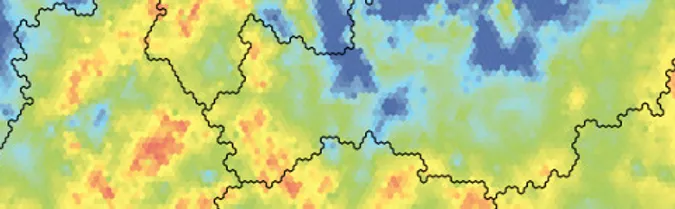
The colors correspond to numerical values of the attributes. The scale at the bottom of each attribute picture in the map window shows the correspondence between the displayed colors and the numerical values of the corresponding attribute. You can also consult "Understanding SOM visualization" of the SOM technology page on the Viscovery website.

45.
Why are nodes colored if they do not contain any data record?

Because the colors represent the node values and each node has a value. Before the actual training starts, all nodes are initialized by the corresponding values of the principal plane, thus get an initial node value. Later during the training process, the node values gradually adapt to the data records matching it. However, each data record that matches a node influences not only the value of the node itself, but also the neighboring nodes (which might not have any match among the data records).

46.
What is a micro cluster?

Each node in the map represents a micro cluster, which is shown as a little hexagon.

47.
What do the dots on the color scale mean?

The dots at the either end of the color scale indicate that there are numerical values of the attribute outside of the displayed range.

48.
Why does the node value not exactly match the mean of the data records contained in a node?

The map is a representation of the data records that smooth out effects like noise and outliers. The node values are responsible to determine which data records are matched into a respective node. This does not necessarily mean that an attribute mean of all records falling into some node is the same as the node attribute value. This is only approximately the case and can be violated particularly in the presence of outliers.

49.
Do the color bars of the attribute windows show the original values or the scaled ones?

All values shown are in original scale. The scaled values are hidden from the user and only used in the background when computing the map. Viscovery generally presents attributes in their original scaling so that the user needs not care about inverse scaling or transformations.

50.
How can there be green nodes for a binary attribute like gender?

The colors represent the values contained in a node, thus for a binary attribute like gender, green matches a value of 0.5 (i.e., 50% of the data records in the node are female, the other 50% are male). Of course all colors are possible depending on the percentage of female in a node. The less priority you give to a binary attribute the more colors you might see in the picture of that attribute since the data will not necessarily be ordered in, for example, male and female (leading to mostly blue or red nodes) but males and females might rather be evenly distributes over the map.

51.
What exactly do the bars in the Group Profile window reflect?

In all cases but one, the bars are absolute values, whose meaning is specified by the selection in the Select Statistics drop down list and refer to the selected range. But since the attributes might have very different scales, the absolute values are often not comparable.

Only if Profile is selected in the Select Statistics drop-down list, the bars do not show absolute values. In this case, the bars reflect the deviation of the mean of the selected range from the mean of the entire data set. To get comparable measures, the deviations of means are divided by standard deviations of the entire data set: i.e., if the bar is short, the mean of the selected range does not differ very much from the overall mean (the mean of the entire data set) in terms of the standard deviation. In the bar chart of the Group Profile window, it can easily be seen which attributes make up the group’s profile (i.e., differ most from the rest of the population exhibiting a long bar).

52.
Why are not all of my attributes shown in the bar chart of the Group Profile window?
This bar chart only shows attributes whose mean of the selected range differ significantly from the mean of the entire data set. You can change the confidence level to be used in the View page of the Preferences dialog from the File menu to see more or fewer attributes in the bar chart. If you want to see a bar for all attributes regardless of their confidence, you choose “don’t use” as confidence level.
53.
What is the difference between Mean and Profile in the Select Statistics drop-down menu?

The difference is in the bar chart:

If you choose Profile, the bar chart shows the deviation of the mean of the selected range from the mean of the entire data set. The unit is standard deviations of the entire data set: i.e., if the bar is short, the mean of the selected range does not differ very much from the overall mean (the mean of the entire data set) in terms of the standard deviation.

If you choose Mean, the bar chart actually shows the mean attribute values of the selected range.

54.
How can I use box plots and scatter plots?

Box plots, scatter plots as well as other statistical features are available in a context-sensitive manner throughout Viscovery. You can use these functions over arbitrary selections of a map and also at each workflow step by choosing Statistics from the context menu (i.e., right click while the curser is on a workflow step).

For box plots, choose the previous to last register in the statistics window and select all attributes of which you want to see the box plots. The box plots show the median as a white line inside of the colored box, the box from the lower to the upper quartile, the whiskers at +/-1.5 times the box length, and outliers denoted by colored lines outside of the whiskers.

For scatter plots, choose the last register in the statistics window and select one attribute for the x-axis as well as one for the y-axis. The scatter plots show the distribution of one attribute in terms of any other one.

back to top

Tips and tricks for working with Viscovery

55.
Where can I find how many data records match a node?

The number of data records that match a node is called frequency and is shown in the frequency picture of the map window.

  1. Choose Attribute… from the Inspect menu.
  2. Check the previous to last entry Frequency.
  3. Leave the dialog by clicking “OK”.
  4. Click the node whose number of matching data records you would like to know.
  5. In the frequency picture that appears in the map window, move the mouse over the arrow in the color scale to see the number of data records contained in that node.

Alternatively, you can find the frequency in the list of the Group Profile window (last entry), if you choose the range Node.

56.
How can I find out the value of a node in the map?

Click on the node so it becomes the currently active node, which is indicated by a blinking cursor. On the color scale, you see a small black triangle that points down to the corresponding value of the current node. You can read off the exact value of this node by moving the mouse pointer over the triangle.

57.
Can I show node values as labels in the map?

Yes, of course. If you want to show the node values of any attribute displayed over the respective node, do the following:

  1. Select the nodes at which you would like to show the node values.
  2. Copy the selection,
  3. Switch to label mode.
  4. Paste the selection as labels while you choose the attribute whose node values you would like to show at these nodes.
58.
How can I show attribute values in the map?

If you want to show attribute values as labels in the map, you would need to import labels from the source data file with the following steps:

  1. Open the source data file.
  2. Select and copy the rows with the records from which you would like to import the labels.
  3. In Viscovery switch to Label Mode.
  4. Paste them into the map.

Alternatively, you may use the Import feature from the File menu of Viscovery to import Labels for all data records of a data file.

59.
How can I find out where a specific data record is located?

The fastest and easiest option is the following:

  1. Open the Data Records dialog.
  2. Look up the record in question.
  3. Double-click it.

The curser will then be placed on the node that contains that record.

There are several other options to locate a specific data record in the map:

  1. Open the source data file and select the headline and the record in question.
  2. Copy the two selected lines.
  3. Switch to Selection Mode.
  4. Paste the record.

The best matching node containing this data record will be selected.

Alternatively, after copying the data record and the headline, you can

  1. Switch to Label Mode.
  2. Paste the identifier (key attribute) as labels such that the key will appear over the best matching node containing the data record.

You could copy several data records at once and paste their keys as labels to the map.

Alternatively:

  1. Prepare a file that contains only the data records you would like to locate.
  2. Import labels from this file.
60.
Can I export tables and maps?

Yes, you can always select the rows of tables you would like to export and use copy and paste to export them into other programs. If you use Copy while the map window is active, but no edit mode is selected, the image of all attribute pictures will be copied to the clipboard. You can also export the attribute pictures of the map directly as a WMF graphic file. Additionally, a screenshot can be used to export images of the map.

61.
Can I export the values of the nodes?

Yes, you can. You can use the export functionality of Viscovery to export all map node values to a text file directly or only the values of nodes that either contain labels, or that are selected, or located along a path. If the corresponding mode is turned on you can also copy the corresponding node values from the map to the clipboard.

62.
Is there a procedure whereby I can assign the same label to a group of selected nodes in one gesture?

Choose the Selection mode in the SOM. Select the nodes you want to add labels to. Copy the selection into a spreadsheet. Add a column named “Label” and enter the label you wish. In this case, the whole column would contain that one equal label. Copy all rows and the headline.

In the Viscovery map switch to label mode. Paste the copied records from the spreadsheet. The labels should appear at the nodes you previously selected.

63.
Labels at nodes on the left and right edges are truncated. Is there a way to avoid this?

Sorry, no, there is no way to avoid this automatically. Of course, you can adjust the location of labels manually: Switch to label mode (Edit->Label Mode) and drag the half-visible labels inwards. For long labels you should consider writing them in two or more lines which then will be centered above the node.

back to top

Questions regarding Viscovery Predictor

64.
What are the iterations in the Compute Local Model step and how are they related to training cycles?

The computation of an optimal local regression is an iterative process. Starting with a set of priorities (specified by the user), a map is trained, from which a better set of priorities with certain criteria is computed. With this new set another map is trained and the priorities are refined again. These are the iterations.

Training cycles are the operations by which one of these maps are trained. The training cycles can be different in each iteration. They depend on the principal components of the (transformed and scaled) data, which in turn depends on the priorities.

65.
Do the priorities have local values?

No, priorities cannot be local. “Local” always refers to a single node. Priorities are always related to variables as a whole.

66.
How do the receptive fields influence the map ordering?

The receptive fields do not influence the map ordering. They determine which data records are used for computing significant local regressions at each node.

67.
What is the meaning of a white node in the “Coefficient” map?

A white node in the coefficient picture of an attribute means, that this attribute was not used in a stepwise regression in this node.

back to top

Technology background

68.
What is a SOM?

A self-organizing map (SOM, also referred to as Kohonen map) is an ordered representation of multi-dimensional data in two dimensional space, which simplifies complexity and reveals relationships among the variables. The intuitive visualization of SOMs is easily understandable also by non-technicians providing a communication platform for business, statisticians, and IT. Read more about SOMs at SOM technology.

69.
What can I do with a SOM?

Self-organizing maps are used for the following tasks:

  • Data representation
  • Data exploration
  • Dependency analysis
  • Clustering
  • Segmentation
  • Classification
  • Non-linear prediction
  • Scoring
70.
Where can I learn more about SOMs?

Your first stop could be our article on SOM technology. You can also follow the links to our extensive list of publications, including online resources and printed material.

71.
How can I read or interpret a SOM?

Please refer to SOM technology to learn more about the interpretation of SOM visualization.

72.
What kind of knowledge do I need to use Viscovery?

As with all data mining software, you should know how to deal with data and how preprocessing can influence the results. Thus, some basic statistics knowledge is useful. Also, you should know how to read and interpret a SOM (see question above). Since this is a rather intuitive task, you will be able to understand SOMs within a few minutes.

73.
What is the difference between Ward clustering and SOM-Ward clustering?

The SOM-Ward clustering is based on the SOM-Ward distance, which is a variant of the Ward distance.

The Ward distance between two clusters is defined as

dxy := nx * ny / (nx + ny) * norm(meanx - meany)2

where nx and ny are the numbers of data points and meanx and meany the centers of gravity of the clusters; norm() is the Euclidean norm.

The SOM-Ward distance is defined as

d'xy :=


 if clusters x and y are adjacent in the SOM
 then
          dxy
 else
          +infinity 

Thus, the SOM-Ward distance observes the topological location of the clusters. In particular, two clusters that are not adjacent in the SOM are never considered to be merged.

74.
How is the cluster indicator calculated?

For detailed information, see The SOM-Ward cluster algorithm.

Here are the exact formulas for the indicator I(c) of c clusters:

I'(c) := [ mu( c ) / mu( c+1 ) ] - 1

I(c) := max(0, I'(c)) * 100

mu(c) := d(c) * c-beta

where d(c) is that Ward distance that was used to merge c clusters into c-1 clusters; and 3 <= c < number of nodes. beta is the linear regression coefficient for the “data points” [ ln(c), ln(d(c)) ] (where 2 <= c <= number of nodes). This is because the d(c) “behave” like c-beta.

Further we define I(1) := 0 and I(2) := 0. And for SOM-Ward clusters we further define I(c) := 0 for inversions at c clusters, i.e. if d(c) < d(c+1).

The idea behind this is that when d(c) is high, but d(c+1) is low, c clusters is a good clustering because the next merge step (resulting in c-1 clusters) would result in a high variance within the clusters.

A further matter is how the (SOM-) Ward distance matrix is initialized: We consider the frequencies at each node (the number of data points that match at each node).

back to top